Rentova SMS Notifications — How to Opt In
Rentova is property-management software. It sends account notifications by text message to the people who use it — residents, vendors, property owners and property-management staff — only after they opt in.
Last updated
About the program
Messages are sent by Rentova. Residents receive rent-due reminders; vendors receive notices of new work orders assigned to them; and anyone who opts in receives a confirmation text. Message frequency varies with account activity. Message and data rates may apply.
How to opt in
A property manager invites a person to Rentova by email. The invitation link opens the page below, where the person chooses a password and may enter a mobile phone number and tick the text-message box. The box is unticked by default, and opting in is optional: the account is created whether or not the box is ticked. Links to our Terms of Service and Privacy Policy appear directly beneath the box. A number is required only when the box is ticked.
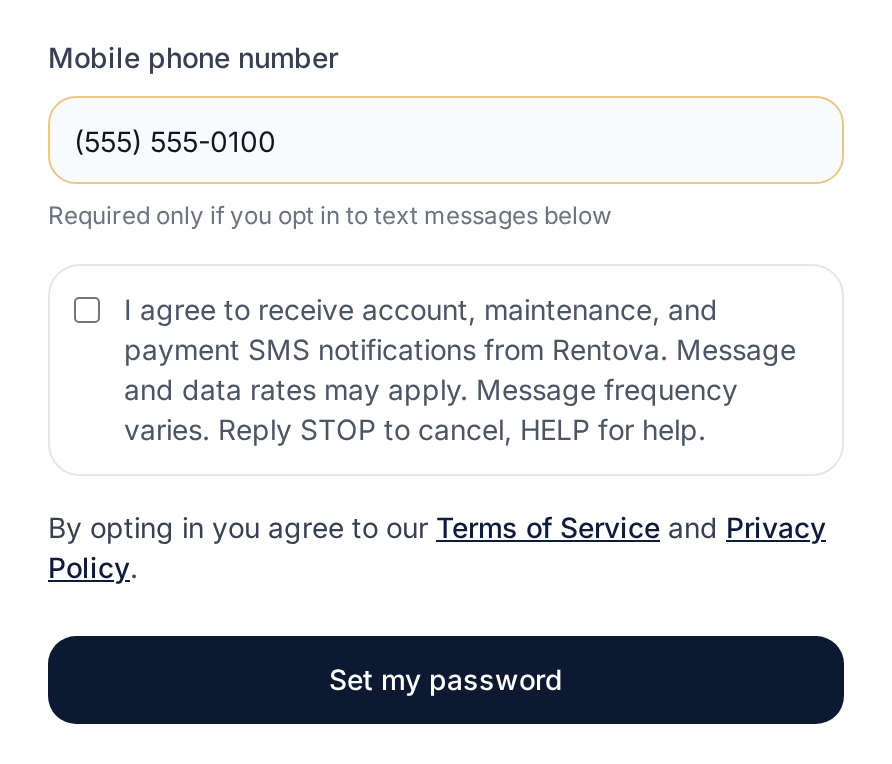
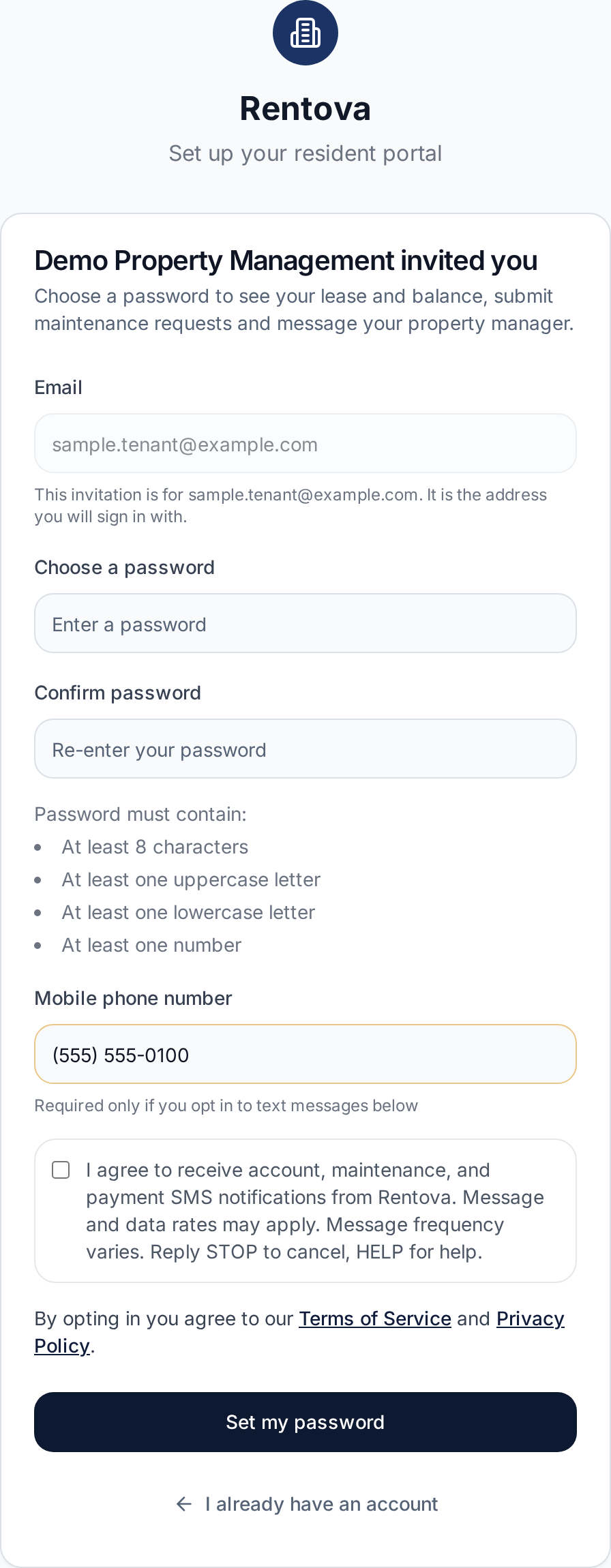
The consent box reads, word for word:
I agree to receive account, maintenance, and payment SMS notifications from Rentova. Message and data rates may apply. Message frequency varies. Reply STOP to cancel, HELP for help.
When the box is ticked, Rentova records the opt-in with the date and time, the IP address and the browser it came from. Staff users can also opt in, or out, with the same box and the same wording under Settings → Profile after signing in.
How to opt out
Reply STOP to any message to stop receiving texts; you will receive one confirmation and nothing further. Staff users can also untick the box under Settings → Profile.
How to get help
Reply HELP to any message, or email support@rentova.com.
Terms and privacy
Both documents have a section titled “SMS/Text Messaging Program” that covers these messages, including how mobile information is handled: read our Terms of Service and our Privacy Policy.